
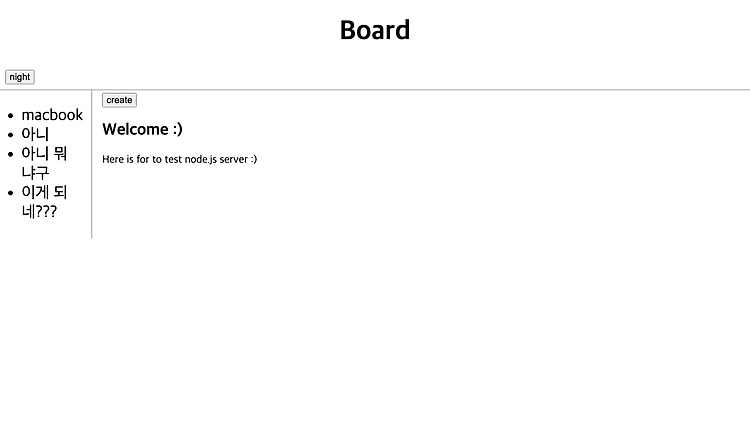

생활코딩 node.js 강의 정리
1. 객체 사용해서 리팩터링 하기
객체를 활용해서 리팩터링 하는 시간이다.
가. 객체 선언
기존의 templateHTML과 templateList를 합쳐서 HTML과 List라는 속성을 가진 template라는 객체를 선언한다.
const template = {
  HTML : function(title, list, control, description) {
    return `
     <!DOCTYPE html>
     <html lang="en">
       <head>
         <meta charset="UTF-8" />
         <meta http-equiv="X-UA-Compatible" content="IE=edge" />
         <meta name="viewport" content="width=device-width, initial-scale=1.0" />
         <title>WEB - ${title}</title>
         <link rel="stylesheet" href="style.css">
         <script src="color.js"></script>
       </head>
       <body>
         <div id="top">
           <h1><a href="/">Board</a></h1>
           <input type="button" value="night" onclick="nightDayHandler(this)"/>
         </div>
         <div id="grid">
          ${list}
          <div id="article">
            ${control}
            <h2>${title}</h2>
            ${description}
          </div>
        </div>
       </body>
      </html>
    `;
  },
  List : function(filelist) {
    let list = "<ul>";
    for (let i = 0; i < filelist.length; i++) {
      list += `<li><a href="/?id=${filelist[i]}">${filelist[i]}</a></li>`;
    }
    list += "</ul>";
    return list;
  }
}
Code language: PHP (php)
나. 코드 수정
templateHTML은 template.HTML로 templateList는 template.List로 수정한다.
let template = templateHTML(title, list, control, updateForm);
Code language: JavaScript (javascript)
기존에 template라는 이름의 변수를 사용했었다.
이를 Html이라는 이름으로 변경한다.
다. 결과물
const http = require("http");
const fs = require("fs");
const url = require("url");
const qs = require("querystring");

const template = {
  HTML : function(title, list, control, description) {
    return `
     <!DOCTYPE html>
     <html lang="en">
       <head>
         <meta charset="UTF-8" />
         <meta http-equiv="X-UA-Compatible" content="IE=edge" />
         <meta name="viewport" content="width=device-width, initial-scale=1.0" />
         <title>WEB - ${title}</title>
         <link rel="stylesheet" href="style.css">
         <script src="color.js"></script>
       </head>
       <body>
         <div id="top">
           <h1><a href="/">Board</a></h1>
           <input type="button" value="night" onclick="nightDayHandler(this)"/>
         </div>
         <div id="grid">
          ${list}
          <div id="article">
            ${control}
            <h2>${title}</h2>
            ${description}
          </div>
        </div>
       </body>
      </html>
    `;
  },
  List : function(filelist) {
    let list = "<ul>";
    for (let i = 0; i < filelist.length; i++) {
      list += `<li><a href="/?id=${filelist[i]}">${filelist[i]}</a></li>`;
    }
    list += "</ul>";
    return list;
  }
}

const app = http.createServer(function (request, response) {
  const _url = request.url;
  const queryData = url.parse(_url, true).query;
  const pathname = url.parse(_url, true).pathname;

  if (pathname === "/") {
    if (queryData.id === undefined) {
      fs.readdir("./data", function (err, filelist) {
        let title = "Welcome :)";
        let description = "Here is for to test node.js server :)";
        let list = template.List(filelist);
        let control = `
          <a href="/create">create</a>
        `;
        let html = template.HTML(title, list, control, description);
        response.writeHead(200);
        response.end(html);
      });
    } else {
      fs.readdir("./data", function (err, filelist) {
        fs.readFile(
          `data/${queryData.id}`,
          "utf-8",
          function (err, description) {
            let title = queryData.id;
            let list = template.List(filelist);
            let control = `
              <a href="/create">create</a>
              <a href="/update?id=${title}">update</a>
              <form id="frm" action="delete_process" method="post" style="display:inline">
                <input type="hidden" name="id" value="${title}">
                <input type="button" value="delete"
                onclick="if(confirm('really delete?')==true){document.getElementById('frm').submit();}">
              </form>
            `;
            let html = template.HTML(title, list, control, description);
            response.writeHead(200);
            response.end(html);
          }
        );
      });
    }
  } else if (pathname === "/create") {
    fs.readdir("./data", function (err, filelist) {
      let title = "create";
      let description = `
        <form action="http://localhost:3000/create_process" method="post">
            <p><input type="text" name="title" placeholder="title"></p>
            <p>
                <textarea name="description" placeholder="description"></textarea>
            </p>
            <p>
                <input type="submit">
            </p>
        </form>
      `;
      let list = template.List(filelist);
      let control = ``;
      let html = template.HTML(title, list, control, description);
      response.writeHead(200);
      response.end(html);
    });
  } else if (pathname === "/create_process") {
    let body = "";
    request.on("data", function (data) {
      body += data;
    });
    request.on("end", function () {
      let post = qs.parse(body);
      let title = post.title;
      let description = post.description;
      fs.writeFile(`data/${title}`, description, "utf8", function (err) {
        response.writeHead(302, { Location: encodeURI(`/?id=${title}`)});
        response.end();
      });
    });
  } else if (pathname === "/update") {
    fs.readFile(`./data/${queryData.id}`, "utf8", function (err, description) {
      fs.readdir("./data", function (err, filelist) {
        let title = queryData.id;
        let updateForm = `
          <form action="http://localhost:3000/update_process" method="post">
              <p>
              <input type="hidden" name="id" value="${title}">
              <input type="text" name="title" placeholder="title" value="${title}">
            </p>
              <p>
                   <textarea name="description" placeholder="description">${description}</textarea>
              </p>
              <p>
                   <input type="submit">
              </p>
          </form>
        `;
        let list = template.List(filelist);
        let control = ``;
        let html = template.HTML(title, list, control, updateForm);
        response.writeHead(200);
        response.end(html);
      });
    });
  } else if (pathname === "/update_process") {
    let body = "";
    request.on("data", function (data) {
      body += data;
    });
    request.on("end", function () {
      let post = qs.parse(body);
      let id = post.id;
      let title = post.title;
      let description = post.description;
      fs.rename(`./data/${id}`, `./data/${title}`, function (err) {
        fs.writeFile(`data/${title}`, description, "utf8", function (err) {
          response.writeHead(302, { Location: encodeURI(`/?id=${title}`)});
          response.end();
        });
      });
    });
  } else if (pathname === "/delete_process") {
    let body = "";
    request.on("data", function (data) {
      body += data;
    });
    request.on("end", function (){
      let post = qs.parse(body);
      let id = post.id;
      fs.unlink(`data/${id}`, function (err) {
        response.writeHead(302, { Location: `/` });
        response.end();
      });
    });
  } else {
    if (_url == "/style.css") {
      response.writeHead(200, { "Content-type": "text/css" });
      let fileContents = fs.readFileSync("style.css", "utf-8");
      response.write(fileContents);
      response.end();
    } else if (_url == "/color.js") {
      response.writeHead(200, { "Content-type": "text/js" });
      let fileContents = fs.readFileSync("color.js", "utf-8");
      response.write(fileContents);
      response.end();
    } else {
      response.writeHead(404);
      response.end("Not found");
    }
  }
});
app.listen(3000);
Code language: JavaScript (javascript)
2. 모듈로 리팩터링 하기
main.js에 자리 잡고 있는 template 객체를 template.js로 옮기고 이를 모듈로서 내보낸다.
또 main.js에 모듈로서 요청한다.
lib라는 디렉터리를 생성한다.lib아래에template.js를 생성한다.main.js에서template객체를./lib/template.js로 옮긴다.modul.export = template;를 추가한다. 또는module.exports = { .... }로 수정한다.main.js에const template = require('./lib/template.js');를 추가한다.
module.exports = {
  HTML : function(title, list, control, description) {
    return `
     <!DOCTYPE html>
     <html lang="en">
       <head>
         <meta charset="UTF-8" />
         <meta http-equiv="X-UA-Compatible" content="IE=edge" />
         <meta name="viewport" content="width=device-width, initial-scale=1.0" />
         <title>WEB - ${title}</title>
         <link rel="stylesheet" href="style.css">
         <script src="color.js"></script>
       </head>
       <body>
         <div id="top">
           <h1><a href="/">Board</a></h1>
           <input type="button" value="night" onclick="nightDayHandler(this)"/>
         </div>
         <div id="grid">
          ${list}
          <div id="article">
            ${control}
            <h2>${title}</h2>
            ${description}
          </div>
        </div>
       </body>
      </html>
    `;
  },
  List : function(filelist) {
    let list = "<ul>";
    for (let i = 0; i < filelist.length; i++) {
      list += `<li><a href="/?id=${filelist[i]}">${filelist[i]}</a></li>`;
    }
    list += "</ul>";
    return list;
  }
}
Code language: PHP (php)
3. 그 외 디자인 수정
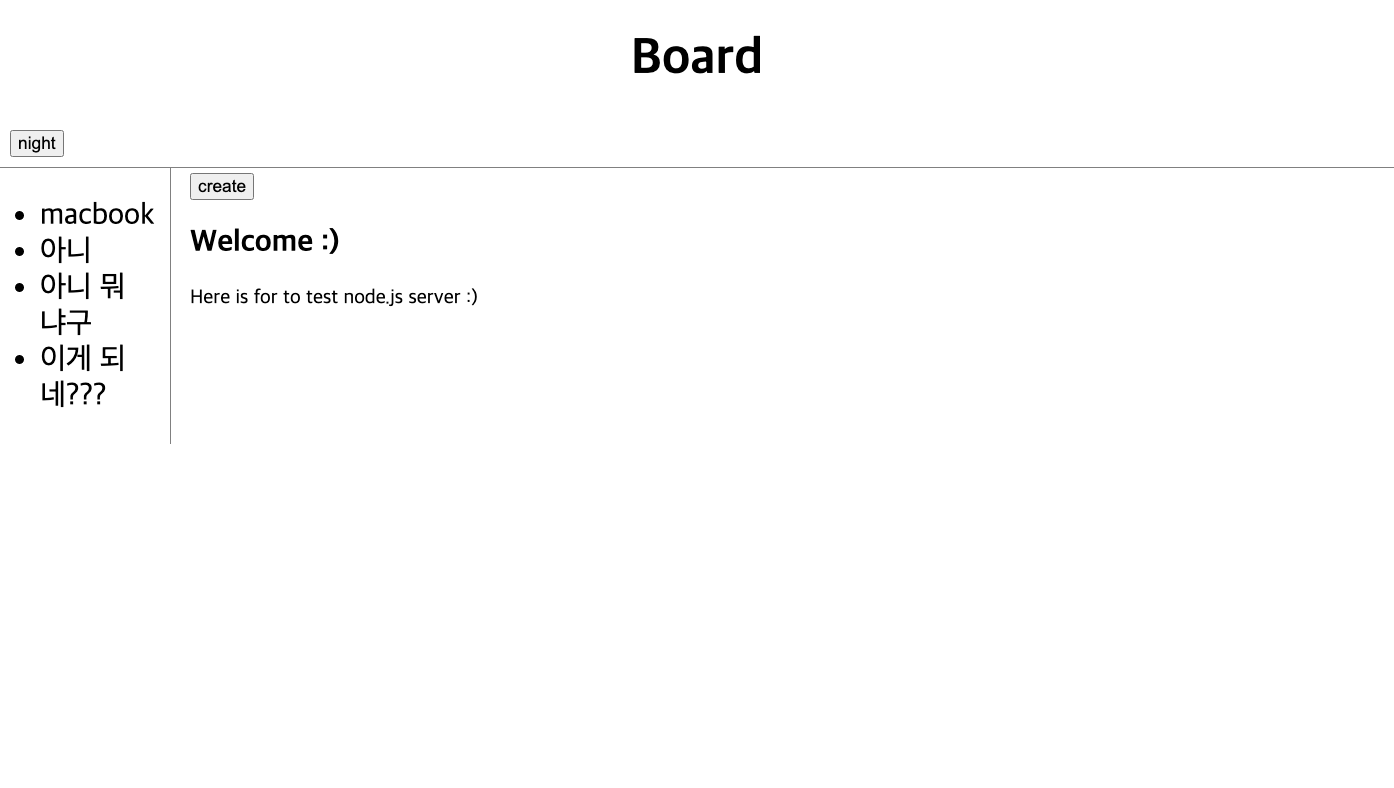
- create, update, delete 모두 버튼으로 구현
- 미디어 쿼리 수정
- 자잘한 margin 값 수정