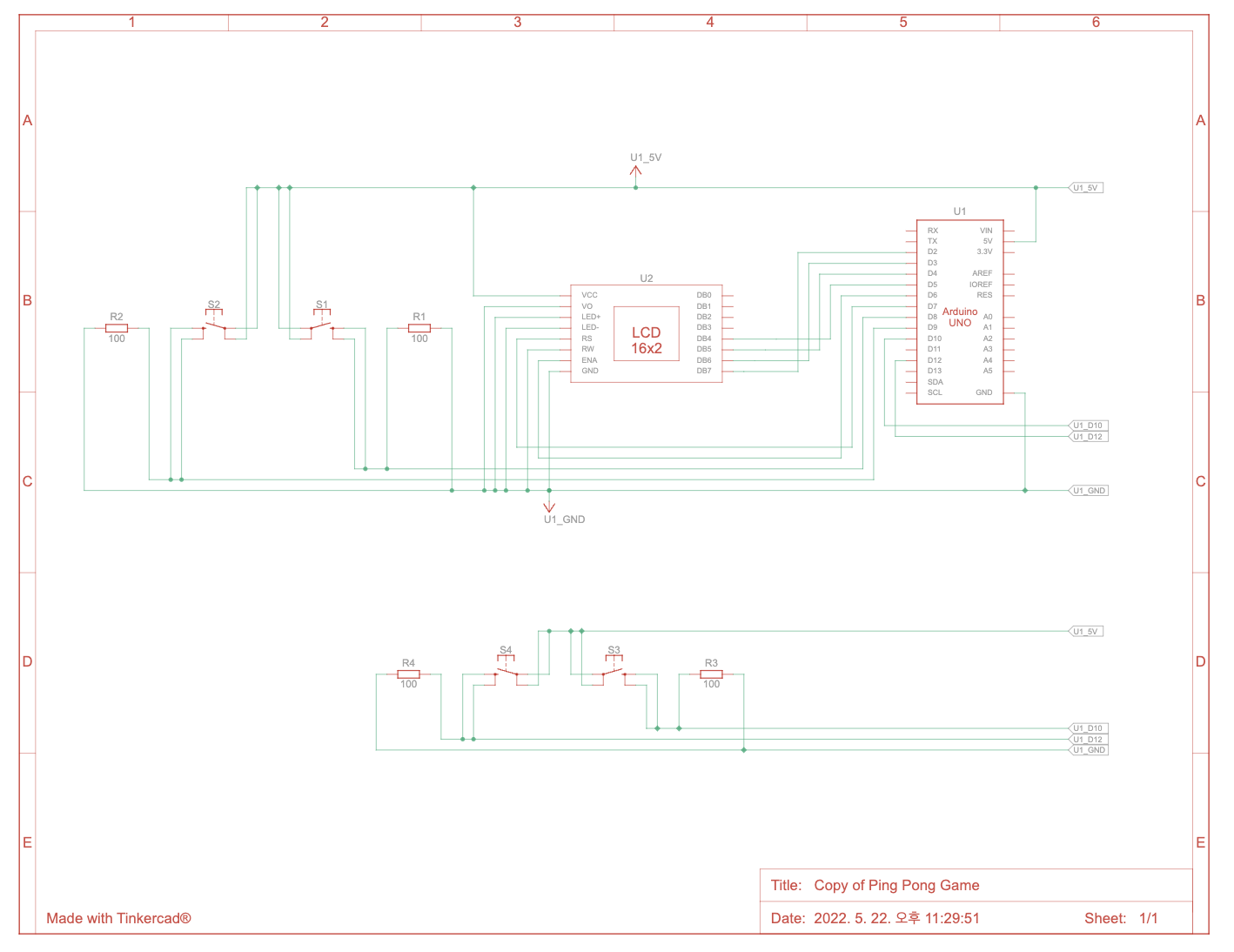
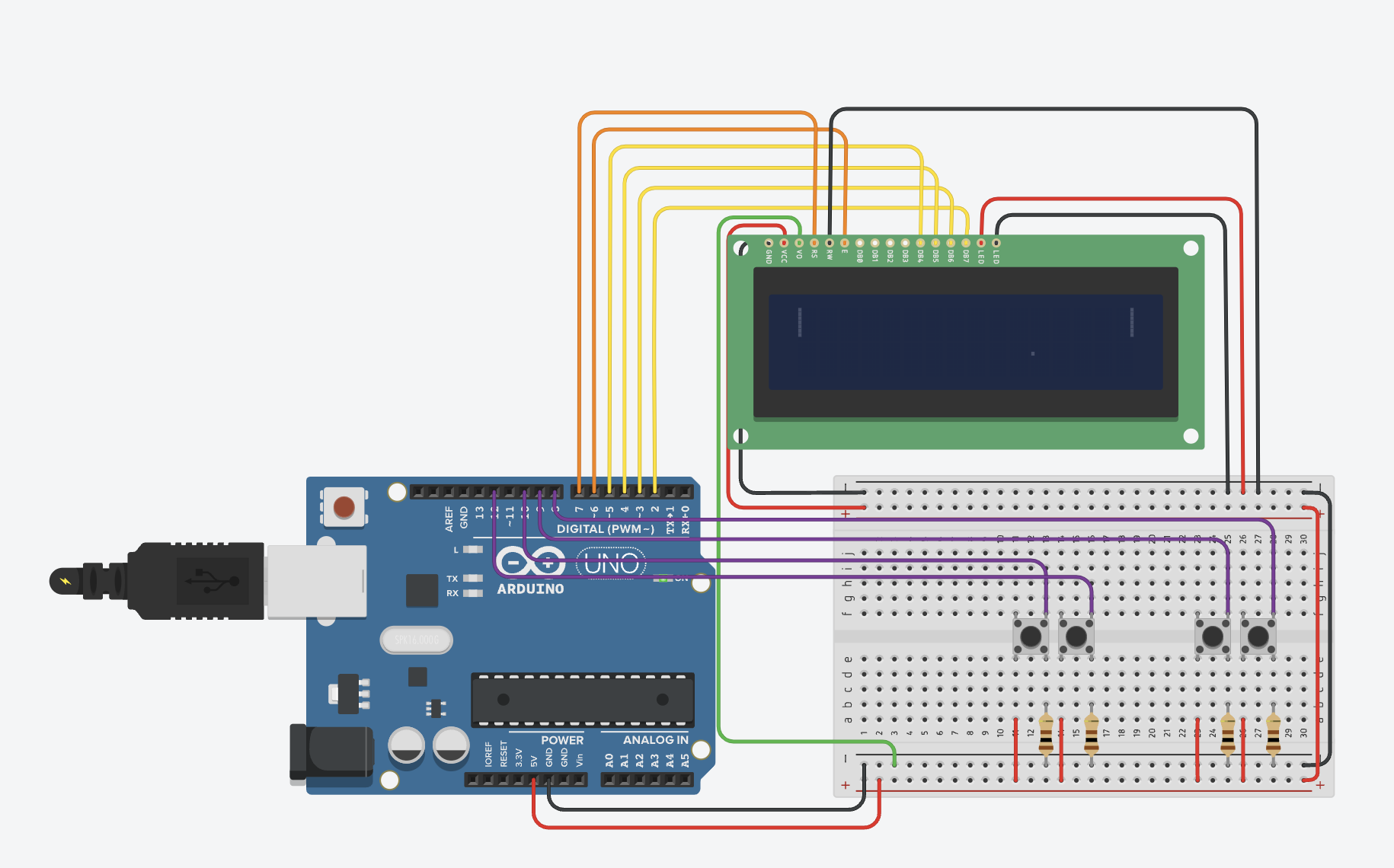
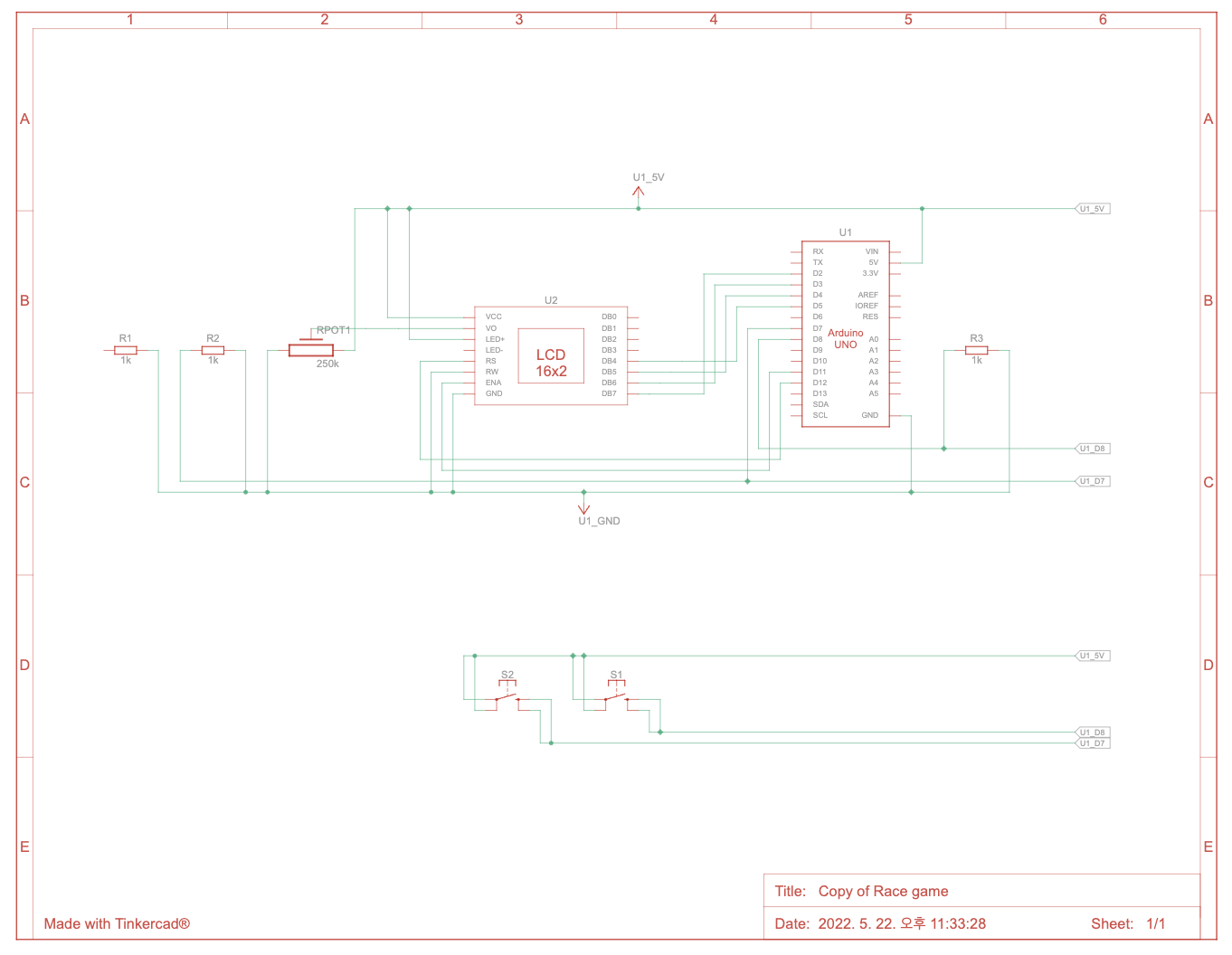
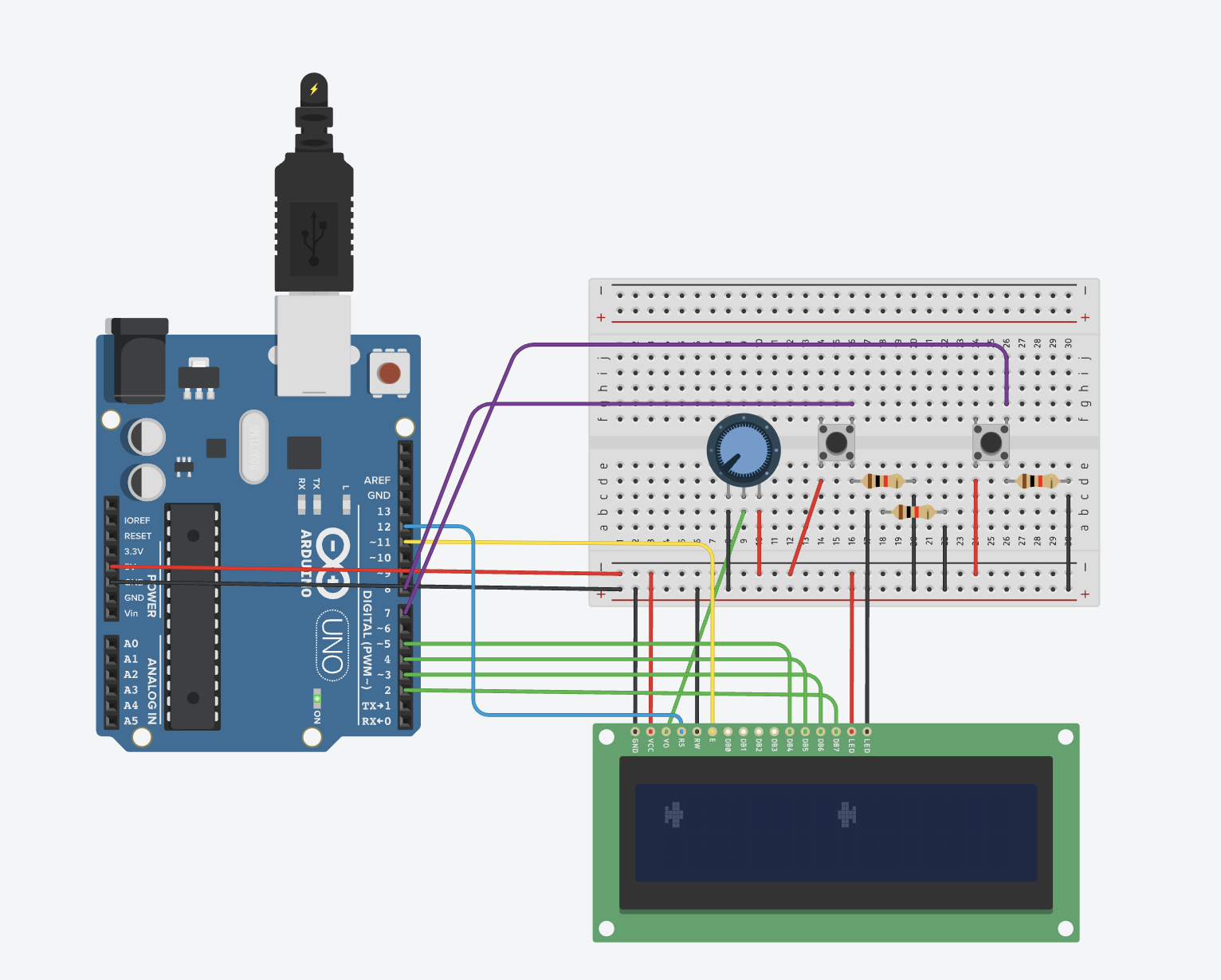
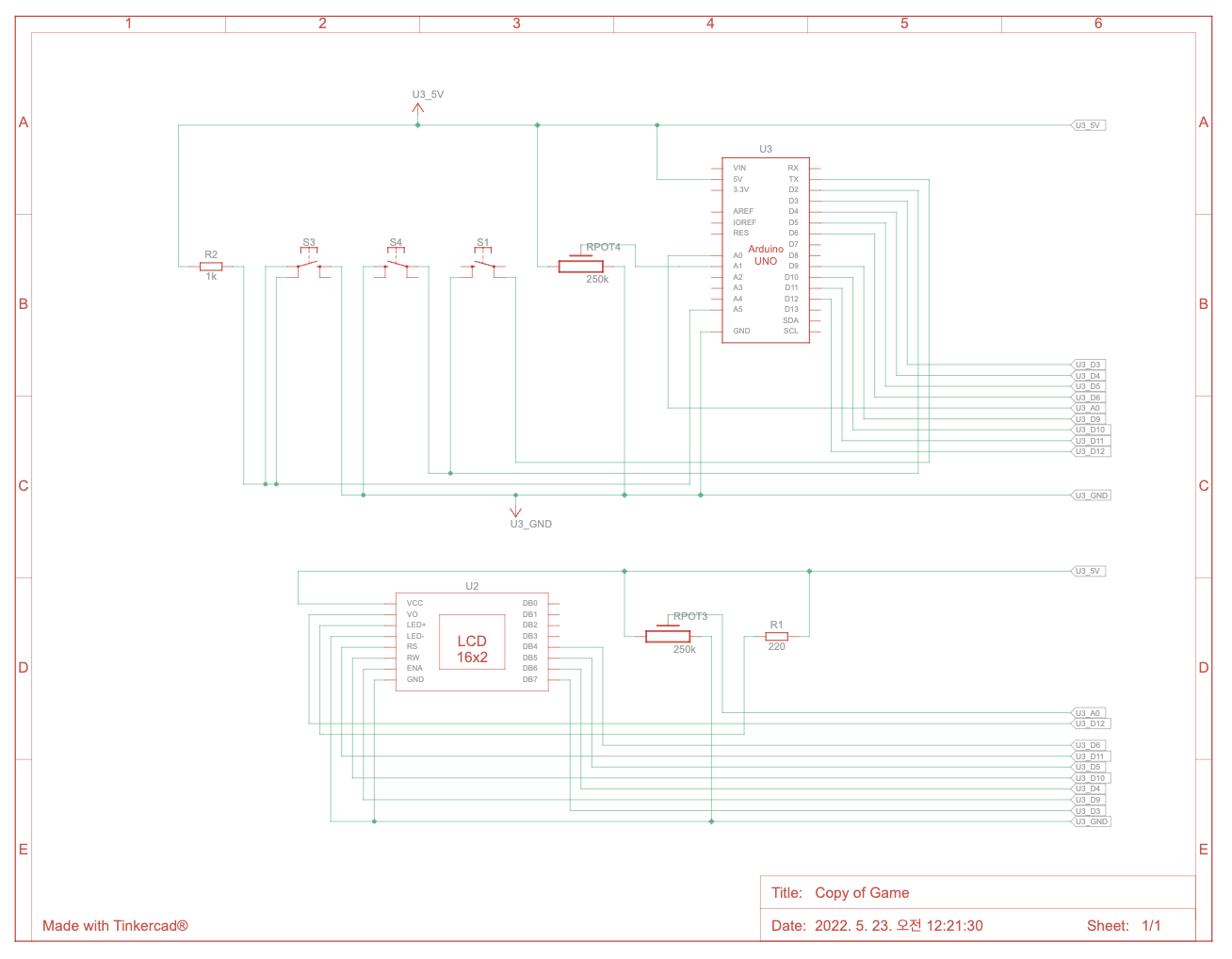
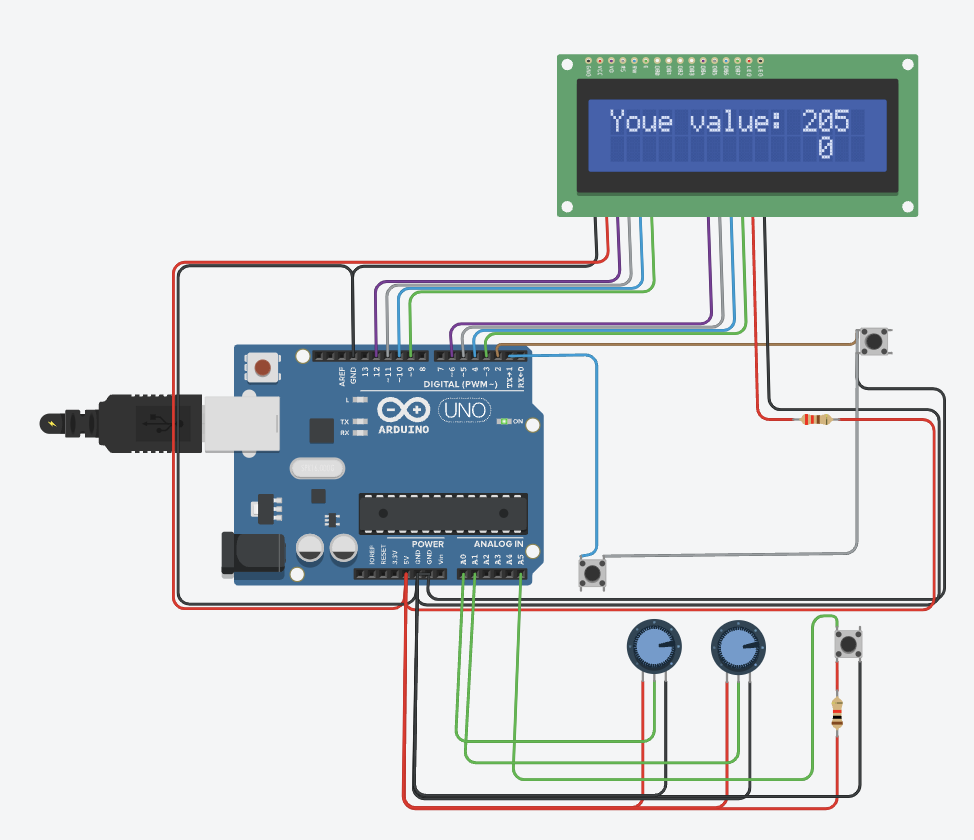
동작 내용에 대한 설명 : 좌측에 위치한 가변저항기로 선책한 0~1023사이의 숫자를 오른쪽 가변저항기로 맞추는 게임이다. 오른쪽 가변저항기로 값을 추측한 값을 입력하고 우측하단의 버튼을 누르면 정답인지 오답인지 알려준다. 오답인 경우 LCD에 표시된 시도횟수를 1만큼 상승하고 입력한 값이 정답과 비교해서 큰지 작은지 LCD에 표시한다. 정답인 경우 총 시도 횟수를 표시하고 게임을 종료한다.
// include the library code:#include <LiquidCrystal.h>// initialize the library with the numbers of the interface pins
LiquidCrystal lcd(7, 8, 9, 10, 11, 12);
const int Pin0 = 6; // Binary number 2^1 or 1const int Pin1 = 5; // Binary number 2^2 or 2const int Pin2 = 4; // Binary number 2^3 or 4const int Pin3 = 3; // Binary number 2^4 or 8const int Pin4 = A4; // Binary number 2^5 or 16const int Pin5 = A3; // Binary number 2^6 or 32const int Pin6 = A2; // Binary number 2^7 or 64const int Pin7 = A1; // Binary number 2^8 or 128const int easyMode = A0; // Easy mode is 0-15, Hard is 0-255
int BinaryValue; // Value for adding up numbers to compare to random number
int correctNumber = 0; // Flag to see if the number was correct
int wrongNumber = 0; // Flag to see if the number was wrongconst int buzzer = 13; //Buzzer pin
int freq; //frequency outconst int buttonPin = 2; // the number of the pushbutton pin
int buttonState; // variable for reading the pushbutton status
long randNumber; // variable for the random number
void setup() {
lcd.begin(16, 2); // set up the LCD's number of columns and rows
pinMode(Pin0, INPUT_PULLUP);
pinMode(Pin1, INPUT_PULLUP);
pinMode(Pin2, INPUT_PULLUP);
pinMode(Pin3, INPUT_PULLUP);
pinMode(Pin4, INPUT_PULLUP);
pinMode(Pin5, INPUT_PULLUP);
pinMode(Pin6, INPUT_PULLUP);
pinMode(Pin7, INPUT_PULLUP);
pinMode(easyMode, INPUT_PULLUP);
pinMode(buttonPin, INPUT_PULLUP);
pinMode(buzzer, OUTPUT); // Set buzzer pin as OUTPUT// if analog input pin 5 is unconnected, random analog// noise will cause the call to randomSeed() to generate// different seed numbers each time the sketch runs.// randomSeed() will then shuffle the random function.
randomSeed(analogRead(5));
if (digitalRead(easyMode) == HIGH)
{
randNumber = random(0, 15);
}
else
{
randNumber = random(0, 255);
}
// Print a message to the LCD.
lcd.print("Your number is");
// set the cursor to column 0, line 1// (note: line 1 is the second row, since counting begins with 0):
lcd.setCursor(0, 1);
lcd.print(randNumber); // Print the random number
}
void checkNumber() // Check switches for correct number
{
if (digitalRead(Pin0) == HIGH)
{
BinaryValue = 1;
}
else
{
BinaryValue = 0;
}
if (digitalRead(Pin1) == HIGH)
{
BinaryValue = BinaryValue + 2;
}
if (digitalRead(Pin2) == HIGH)
{
BinaryValue = BinaryValue + 4;
}
if (digitalRead(Pin3) == HIGH)
{
BinaryValue = BinaryValue + 8;
}
if (digitalRead(Pin4) == HIGH)
{
BinaryValue = BinaryValue + 16;
}
if (digitalRead(Pin5) == HIGH)
{
BinaryValue = BinaryValue + 32;
}
if (digitalRead(Pin6) == HIGH)
{
BinaryValue = BinaryValue + 64;
}
if (digitalRead(Pin7) == HIGH)
{
BinaryValue = BinaryValue + 128;
}
if (BinaryValue == randNumber) // Check if switches match random number
{
correctNumber = 1;
}
else
{
wrongNumber = 1;
}
}
void printBinary() // Displays status of switches
{
if (digitalRead(Pin7) == LOW)
{
lcd.print("0");
}
else
{
lcd.print("1");
}
if (digitalRead(Pin6) == LOW)
{
lcd.print("0");
}
else
{
lcd.print("1");
}
if (digitalRead(Pin5) == LOW)
{
lcd.print("0");
}
else
{
lcd.print("1");
}
if (digitalRead(Pin4) == LOW)
{
lcd.print("0");
}
else
{
lcd.print("1");
}
lcd.print(" ");
if (digitalRead(Pin3) == LOW)
{
lcd.print("0");
}
else
{
lcd.print("1");
}
if (digitalRead(Pin2) == LOW)
{
lcd.print("0");
}
else
{
lcd.print("1");
}
if (digitalRead(Pin1) == LOW)
{
lcd.print("0");
}
else
{
lcd.print("1");
}
if (digitalRead(Pin0) == LOW)
{
lcd.print("0");
}
else
{
lcd.print("1");
}
}
void loop() {
attachInterrupt(digitalPinToInterrupt(buttonPin), checkNumber, FALLING); // Wait for pushbutton to be pressed, when pressed check to see if correct number is inputted
lcd.setCursor(7, 1);
printBinary(); // Display status of switchesif (wrongNumber == 1)
{
lcd.clear();
lcd.setCursor(0, 0);
lcd.print("Try again");
lcd.setCursor(0, 1);
lcd.print(randNumber);
tone(buzzer, 200); // Play wrong answer tone
delay(400);
noTone(buzzer); // Stop sound...
wrongNumber = 0;
correctNumber = 0;
}
if (correctNumber == 1)
{
tone(buzzer, 600); // Play correct answer tone
delay(100);
tone(buzzer, 1000);
delay(100);
tone(buzzer, 800);
delay(100);
noTone(buzzer); // Stop sound...
lcd.clear();
lcd.setCursor(0, 0);
lcd.print("Correct!");
lcd.setCursor(0, 1);
lcd.print(randNumber);
lcd.print(" is ");
printBinary(); // Display status of switches
delay(3000);
lcd.clear();
lcd.setCursor(0, 0);
// Print a message to the LCD.
lcd.print("Your number is");
// set the cursor to column 0, line 1// (note: line 1 is the second row, since counting begins with 0):
lcd.setCursor(0, 1);
if (digitalRead(easyMode) == HIGH)
{
randNumber = random(0, 15);
}
else
{
randNumber = random(0, 255);
}
lcd.print(randNumber);
correctNumber = 0;
wrongNumber = 0;
}
}
Code language:PHP(php)
사진 :
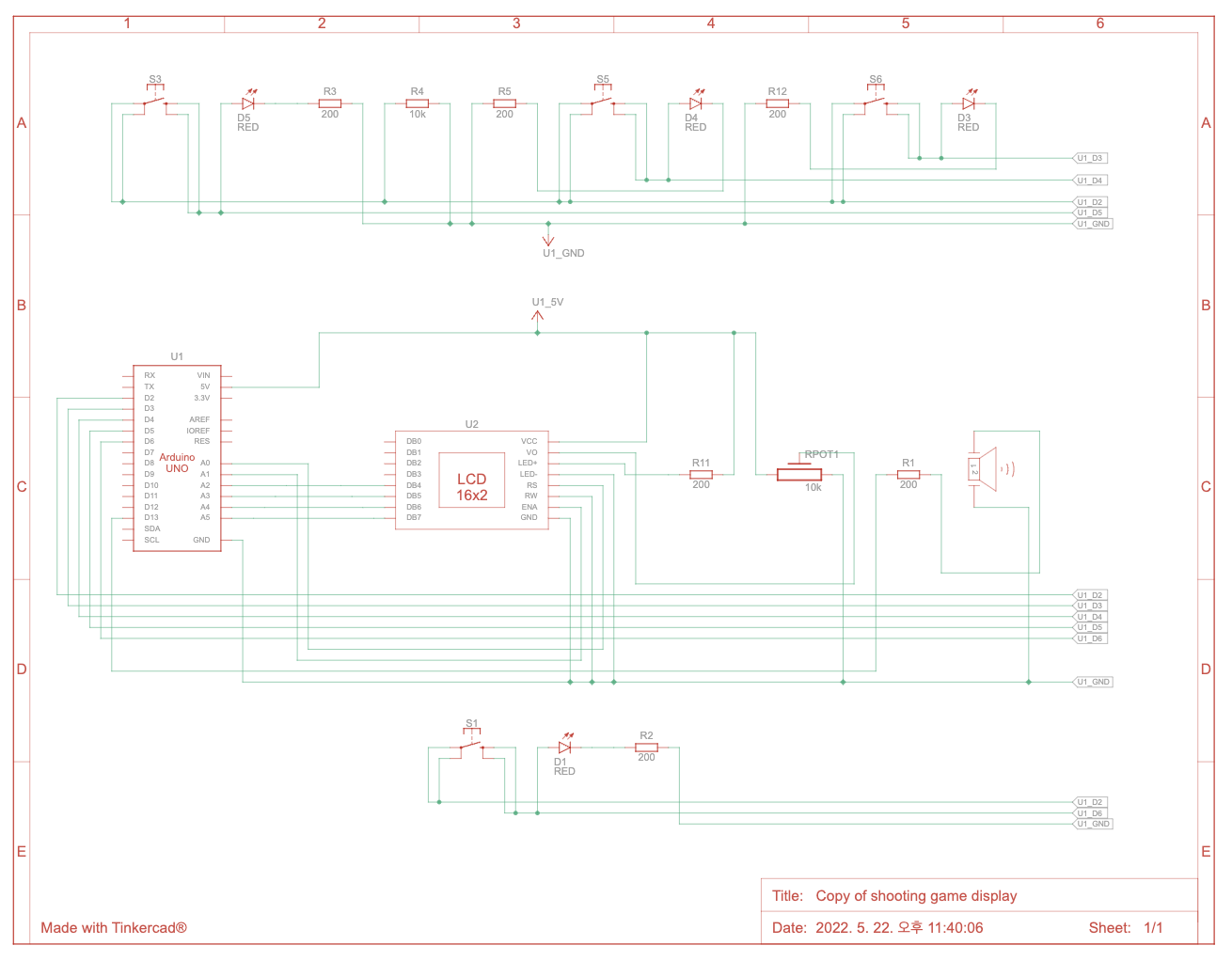
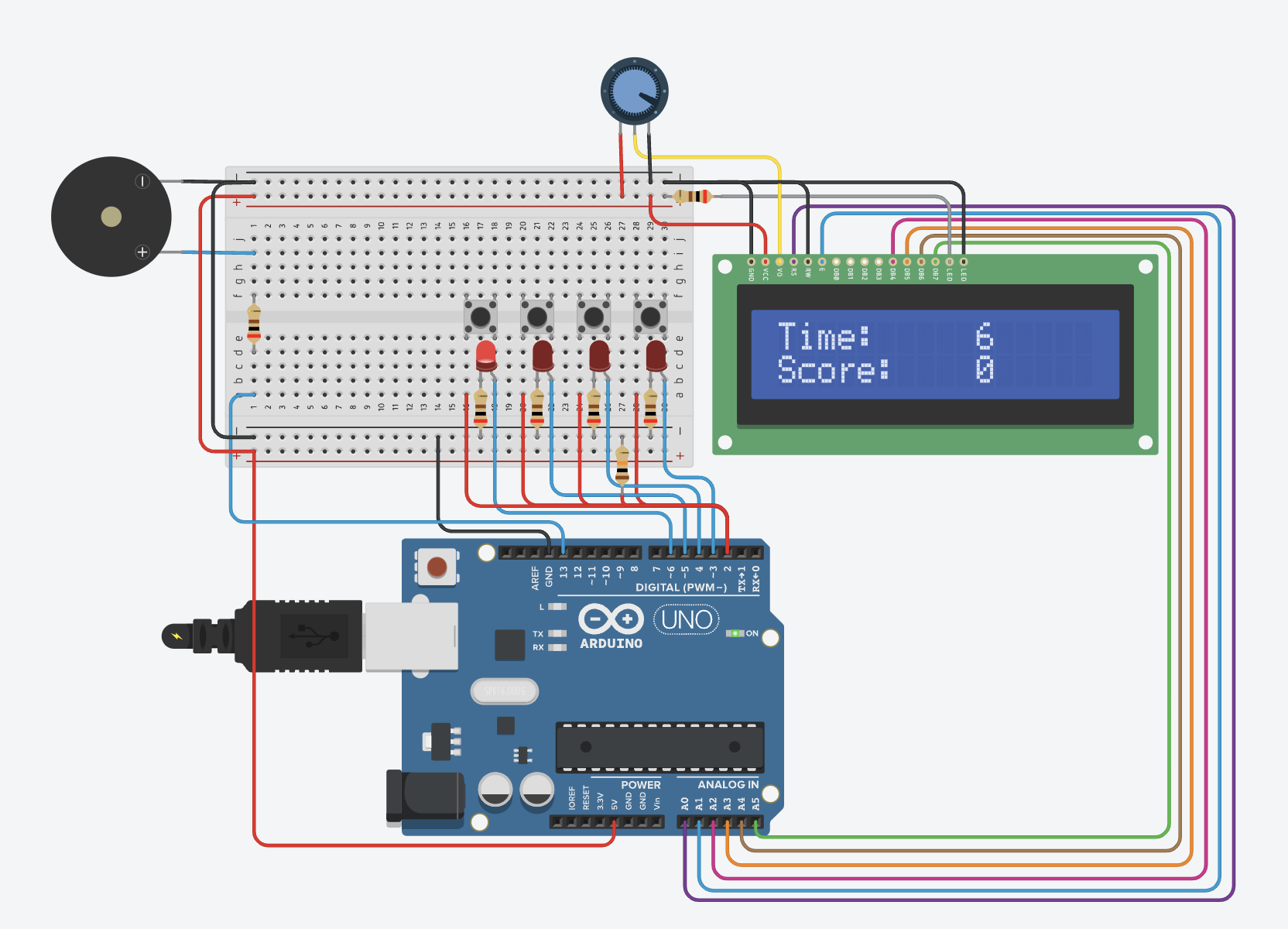
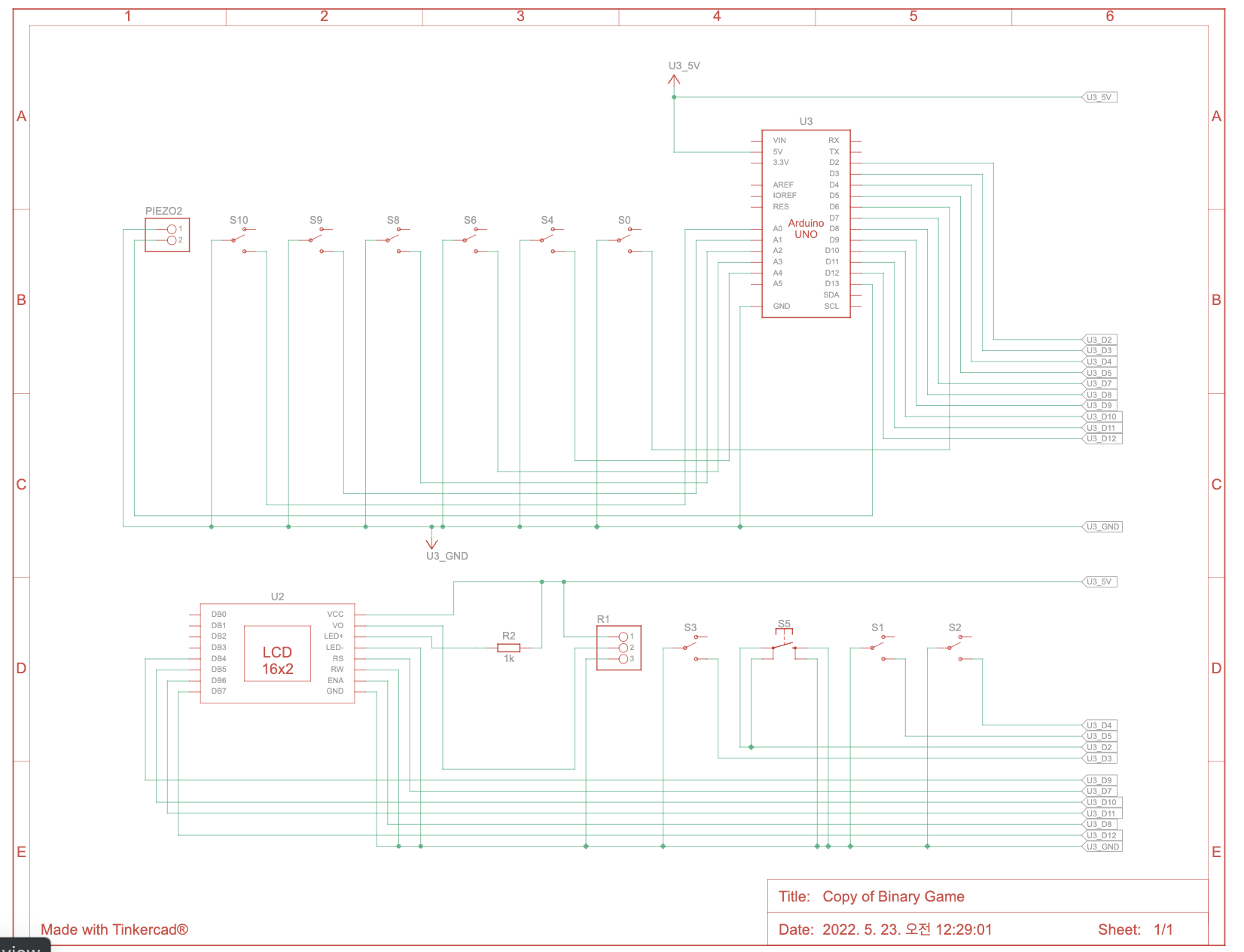
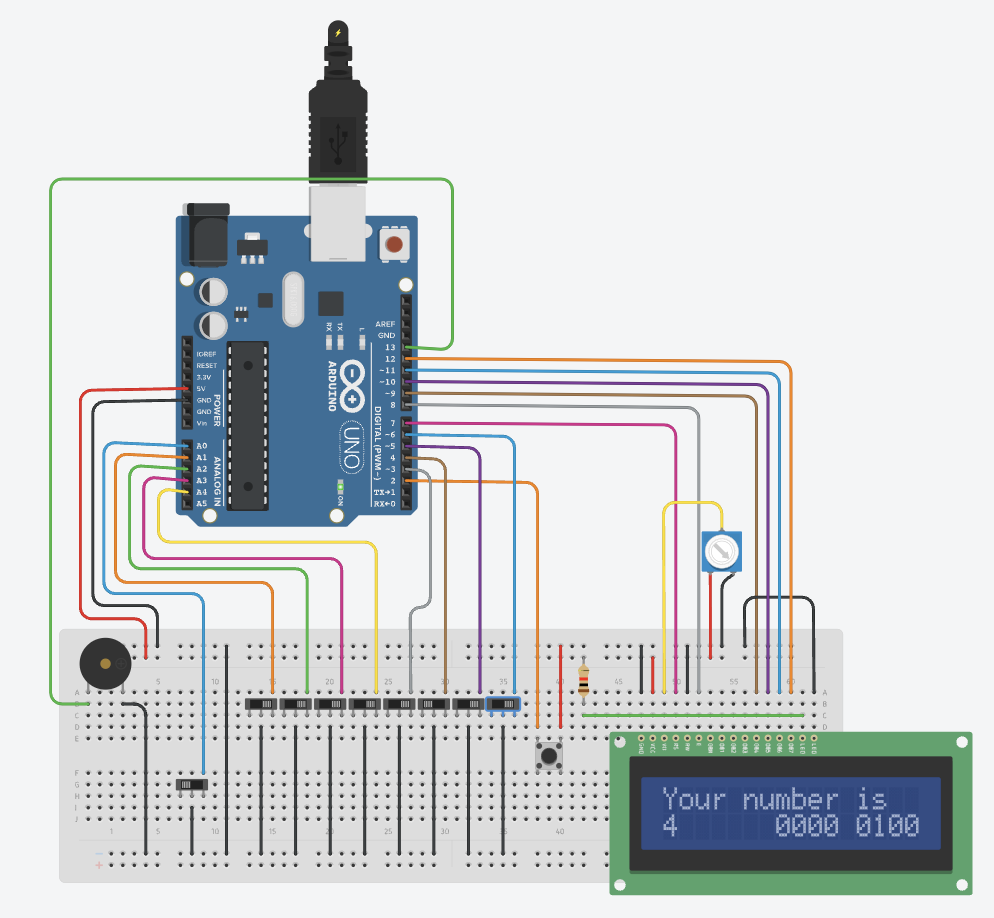
동작 내용에 대한 설명 : 주어진 십진수 숫자를 2진수로 변환하는 게임이다. 슬라이드 스위치를 끄고 켜는 것으로 1과 0을 표현할 수 있다. 원하는 2진수를 표현했다면 tact 스위치를 눌러서 정답인지 확인한다.