
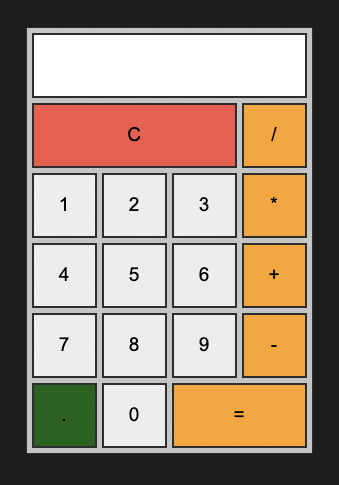
계산기
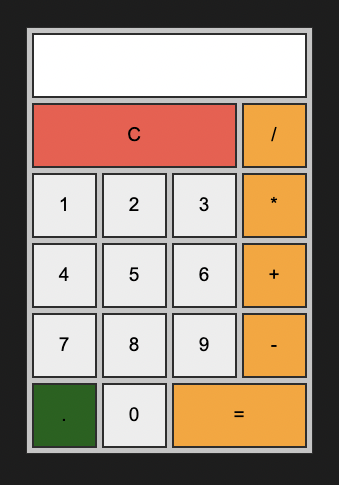
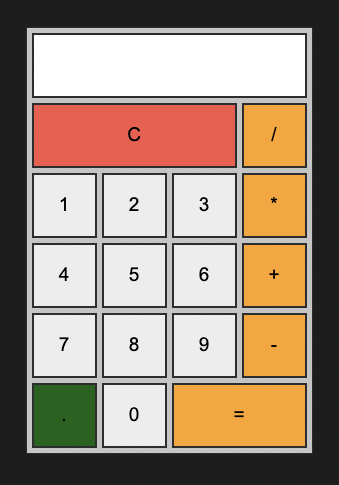
이렇게 생긴 계산기를 Html, CSS, JS를 이용해서 만들어보자.
유튜버 수코딩님의 강의 영상을 보고서 따라 했다.
클론 코딩을 하면서 배운 점을 정리해보자.
1. 파일
보관 중인 Github 주소 :
index.html
<!DOCTYPE html>
<html lang="en">
  <head>
    <meta charset="UTF-8" />
    <meta http-equiv="X-UA-Compatible" content="IE=edge" />
    <meta name="viewport" content="width=device-width, initial-scale=1.0" />
    <title>Calculator</title>
    <link rel="stylesheet" href="style.css" />
    <script src="main.js" defer></script>
  </head>
  <body>
    <div class="calculator">
      <form class="forms">
        <input type="text" name="output" readonly />
        <input class="clear" type="button" value="C" onclick="makeClear()"/>
        <input class="operation" type="button" value="/" onclick="makeFormula(this);"/>
        <input type="button" value="1" onclick="makeFormula(this);" />
        <input type="button" value="2" onclick="makeFormula(this);"/>
        <input type="button" value="3" onclick="makeFormula(this);"/>
        <input class="operation" type="button" value="*" onclick="makeFormula(this);"/>
        <input type="button" value="4" onclick="makeFormula(this);"/>
        <input type="button" value="5" onclick="makeFormula(this);"/>
        <input type="button" value="6" onclick="makeFormula(this);"/>
        <input class="operation" type="button" value="+" onclick="makeFormula(this);"/>
        <input type="button" value="7" onclick="makeFormula(this);"/>
        <input type="button" value="8" onclick="makeFormula(this);"/>
        <input type="button" value="9" onclick="makeFormula(this);"/>
        <input class="operation" type="button" value="-" onclick="makeFormula(this);"/>
        <input class="dot" type="button" value="." onclick="makeFormula(this);"/>
        <input type="button" value="0" onclick="makeFormula(this);"/>
        <input class="operation result" type="button" value="=" onclick="makeResult()"/>
      </form>
    </div>
  </body>
</html>Code language: HTML, XML (xml)
style.css
:root{
    /* color */
    --red-color : #ea6d5a;
    --orange-color: #f4b23e;
    --green-color: #2f6d1c;
    --background-color: #1f1f1f;
    --calculator-color: #ccc;
    --black-color: #333;

    /* size */
    /* --padding : 12px; */
    /* margin: 12px; */

    /* font size */
    /* --font-large: 24px; */
    /* --font-medium: 20px; */
    /* --font-small: 18px; */
    /* --font-micro: 16px; */

}
* {
    padding: 0;
    margin: 0;
    box-sizing: border-box;
}

body {
    background-color: var(--background-color);
    display: flex;
    justify-content: center;
    align-items: center;
    height: 100vh;
}

body .calculator {
    border: 1px solid var(--black-color);
    width: 287px;
    background-color: var(--calculator-color);
    padding : 5px;
}

body .calculator .forms {
    display: grid;
    grid-template-columns: repeat(4, 65px);
    grid-auto-rows : 65px;
    /* 4번 반복 65px */
    grid-gap: 5px;
}

body .calculator .forms > input {
    border : 2px solid var(--black-color);
    cursor: pointer;
    text-align: center;
    font-size: 19px;
}

body .calculator .forms > input:hover {
    box-shadow: 1px 1px 2px var(--black-color);

}

body .calculator .forms > input[type='text'] {
    grid-column:span 4;
    cursor:default;
    text-align: right;
    padding: 0 10px;
}

body .calculator .forms > input[type='text']:hover {
    box-shadow: none;
}

body .calculator .forms .clear {
    background-color: var(--red-color);
    grid-column:span 3;
}

body .calculator .forms .operation {
    background-color: var(--orange-color);
}

body .calculator .forms .result {
    grid-column: span 2;
}

body .calculator .forms .dot {
    background-color: var(--green-color);
}Code language: CSS (css)
main.js
var output = document.querySelector("body .forms input[name='output']");
// output을 전역변수로 선언하면 오류가 발생하는 이유 : 지금 head에 위치한 script tag를 읽고 있다. 즉 body tag 아래에 위치한 태그들은 아직 생성되지 않았다.
// <script ... ></script>에 defer를 추가하면 해결할 수 있다.

function makeFormula(self) {
//   const output = documen지.querySelector("body .forms input[name=output]");
  output.value += self.value;
}
function makeClear() {
//   const output = document.querySelector("body .forms input[name=output]");
  output.value = "";
}
function makeResult() {
//   const output = document.querySelector("body .forms input[name=output]");
  output.value = eval(output.value);
}Code language: JavaScript (javascript)
CSS 단위
참고!
height: 100vh
height: 100vh;가 필요한 이유.
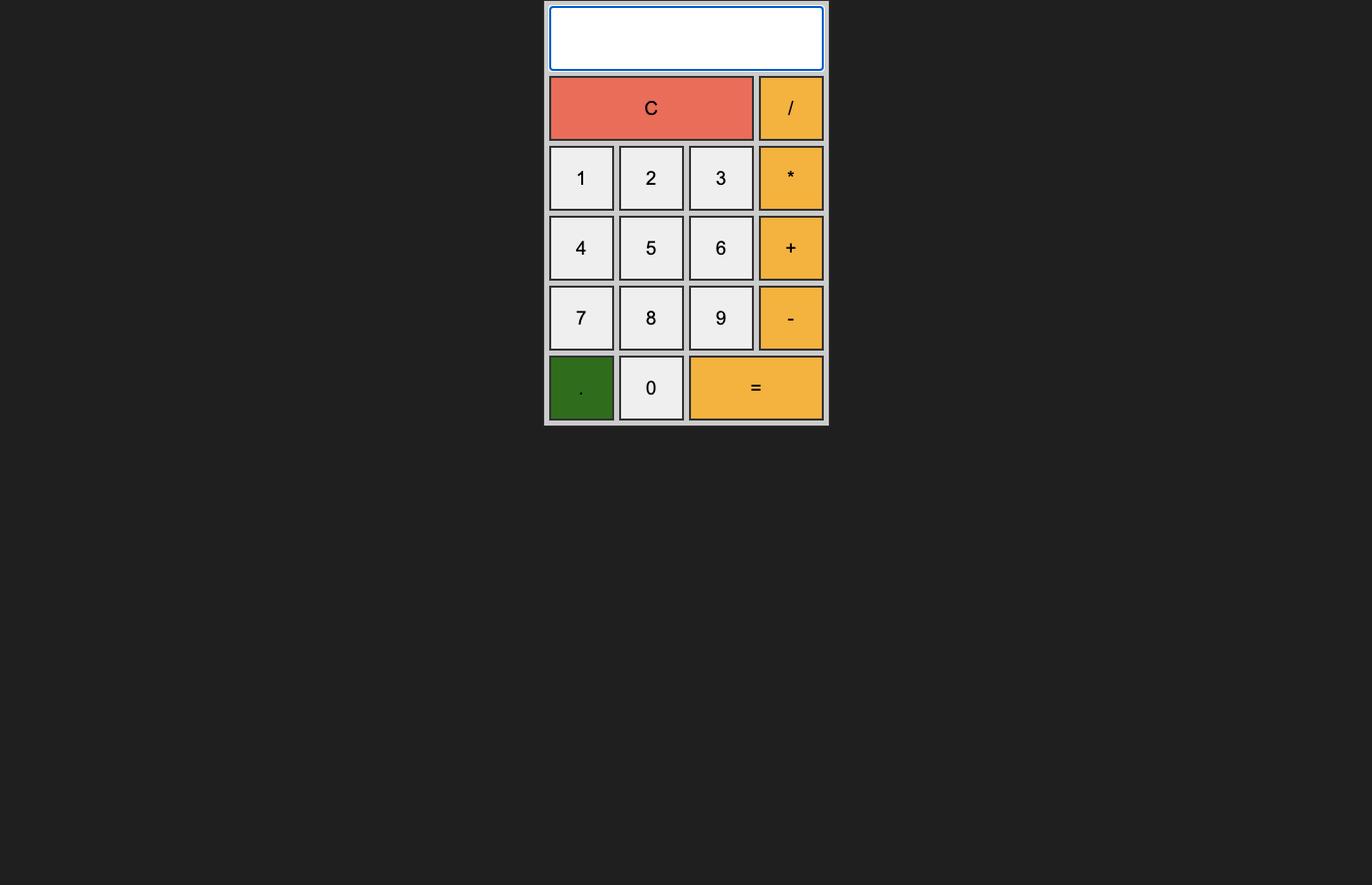
없으면 이렇게 된다.
그 이유에 대하여 알아보면 …
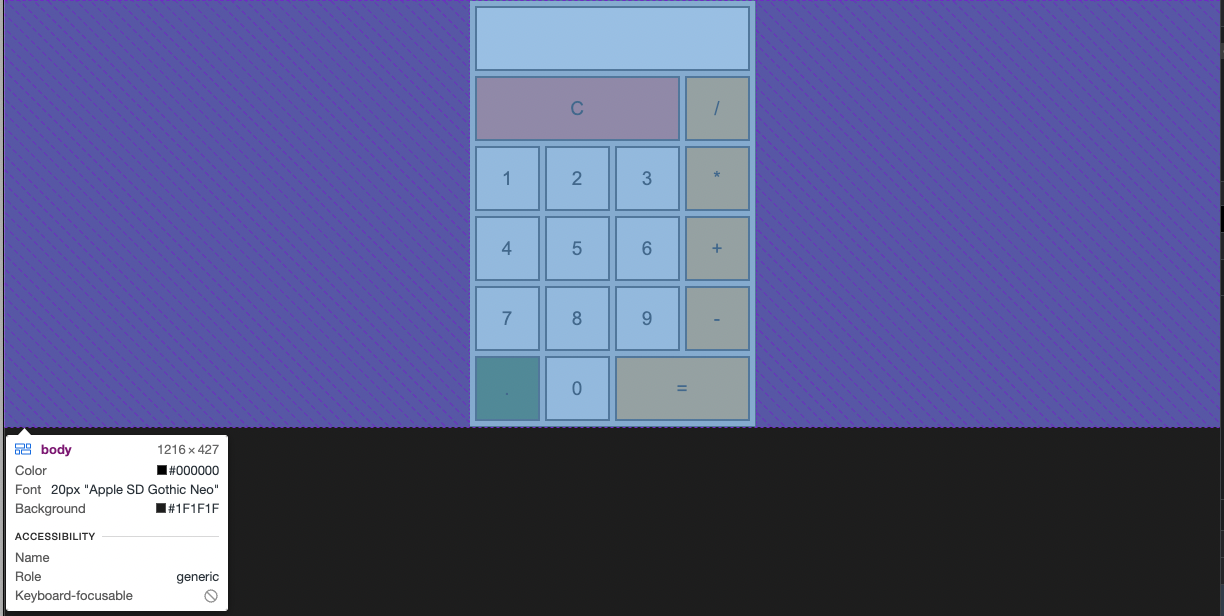
별도로 body의 높이를 지정하지 않으면 위와 같이 된다.
높이의 여유공간 없이 붙여버린다.
그래서는 align-items를 사용한 의미가 없어진다.
그래서 뷰포트를 기준으로 뷰포트의 높이값이나 그의 유사한 높이값의 공간을 확보하기 위해서 100vh를 사용했다.
vh, vw 예시)
뷰포트의 높이값이 900px -> 1vh는 9px
뷰포트의 너비값이 750px -> 1vw는 7.5pxCode language: CSS (css)
반응형 웹페이지를 만들 때 %를 많이 사용한다.
이때 %는 부모의 영향을 받는다.
부모의 영향 없이 순수히 뷰포트를 기준으로 상대적인 크기를 설정할 때 사용할 수 있다.
출처: https://webclub.tistory.com/356
grid-template-columns
grid에서 가로를 구성하는 새로운 방식.

<style>
    ...
    #grid{
        display: grid;
        grid-template-columns: 150px 1fr;
    }
    ...
</style>Code language: HTML, XML (xml)
이전에 사용한 방식 :

body .calculator .forms {
    display: grid;
    grid-template-columns: repeat(4, 65px);
    grid-auto-rows : 65px;
    /* 4번 반복 65px */
    grid-gap: 5px;
}Code language: CSS (css)
가로를 65px로 나눈 4개의 칸으로 나눈다.
grid-column: span 4
body .calculator .forms > input[type='text'] {
grid-column:span 4;
cursor:default;
text-align: right;
padding: 0 10px;
}Code language: CSS (css)
일전에 나눈 가로 4칸 중 4칸 모두를 차치하도록 설정한다.
grid 간격
body .calculator .forms {
    display: grid;
    grid-template-columns: repeat(4, 65px);
    grid-auto-rows : 65px;
    /* 4번 반복 65px */
    grid-gap: 5px;
}Code language: CSS (css)grid-gap으로 칸 사이에 간격을 설정할 수 있다.
cursor: pointer
마우스를 올리면 손가락이 보이게 만들기.

body .calculator .forms > input {
    ...
    cursor: pointer;
        ...
}
그림자 넣기
body .calculator .forms > input:hover {
    box-shadow: 1px 1px 2px var(--black-color);
        //순서대로 오른쪽 아래쪽 번짐효과 색상이다.
}Code language: JavaScript (javascript)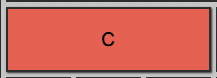
script tag에 defer가 필요한 이유
<head>
        ...
    <script src="main.js"></script>
  </head>
  <body>
    <div class="calculator">
      <form class="forms">
        <input type="text" name="output" readonly />
                ...Code language: HTML, XML (xml)
index.html의 일부분이다.
보면 컴퓨터는 순서상 script 태그를 읽고서 나중에 body 태그 아래 input를 읽는다.
그렇기에 아래와 같이 JS 코드를 작성하면 오류가 생긴다.
var output = document.querySelector("body .forms input[name='output']");
// output을 전역변수로 선언하면 오류가 발생하는 이유 : 지금 head에 위치한 script tag를 읽고 있다. 즉 body tag 아래에 위치한 태그들은 아직 생성되지 않았다.
// <script ... ></script>에 defer를 추가하면 해결할 수 있다.

function makeFormula(self) {
  output.value += self.value;
}
function makeClear() {
  output.value = "";
}
function makeResult() {
  output.value = eval(output.value);
}Code language: JavaScript (javascript)
이유는 해당 main.js를 읽는 당시에는 아직 body .forms input[name=’output’]에 해당하는 input 태그가 생성되지 않았기 때문이다.
그렇기에 전역 변수를 생성할 수 없었다.
이와 같은 문제를 해결하기 위해선 아래와 같이 코드를 수정한다.
<script src="main.js" defer></script>Code language: HTML, XML (xml)defer라는 속성을 추가하면 해결할 수 있다.